Paying BPAY Bills out of Xero:
NB: Same process applies whether it is BPAY Batching or BPAY Auto-Pay.
To automate your BPAY bill payments via Parakeet, the XERO Contacts section for your BPAY Billers must be updated with the below compulsory details.
Please note - if your Biller uses a different/dynamic CRN for each bill, refer to article here.
CRN remains same
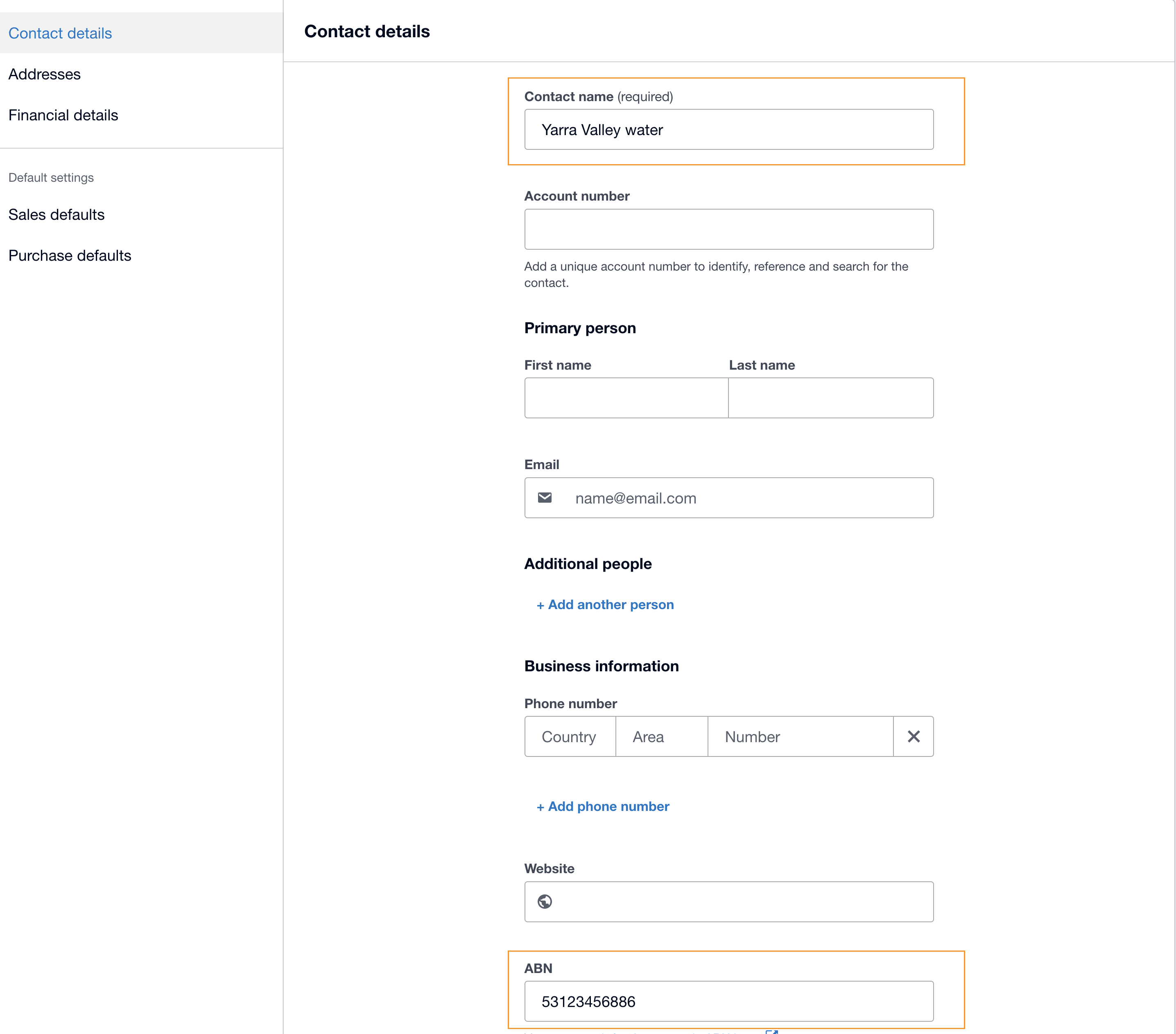
Compulsory fields required in Xero's contacts: (refer to screen shot)
Contact Name = Name of the BPay Biller, eg. - Yarra Valley Water
ABN Field = ABN of your biller (without Spaces)
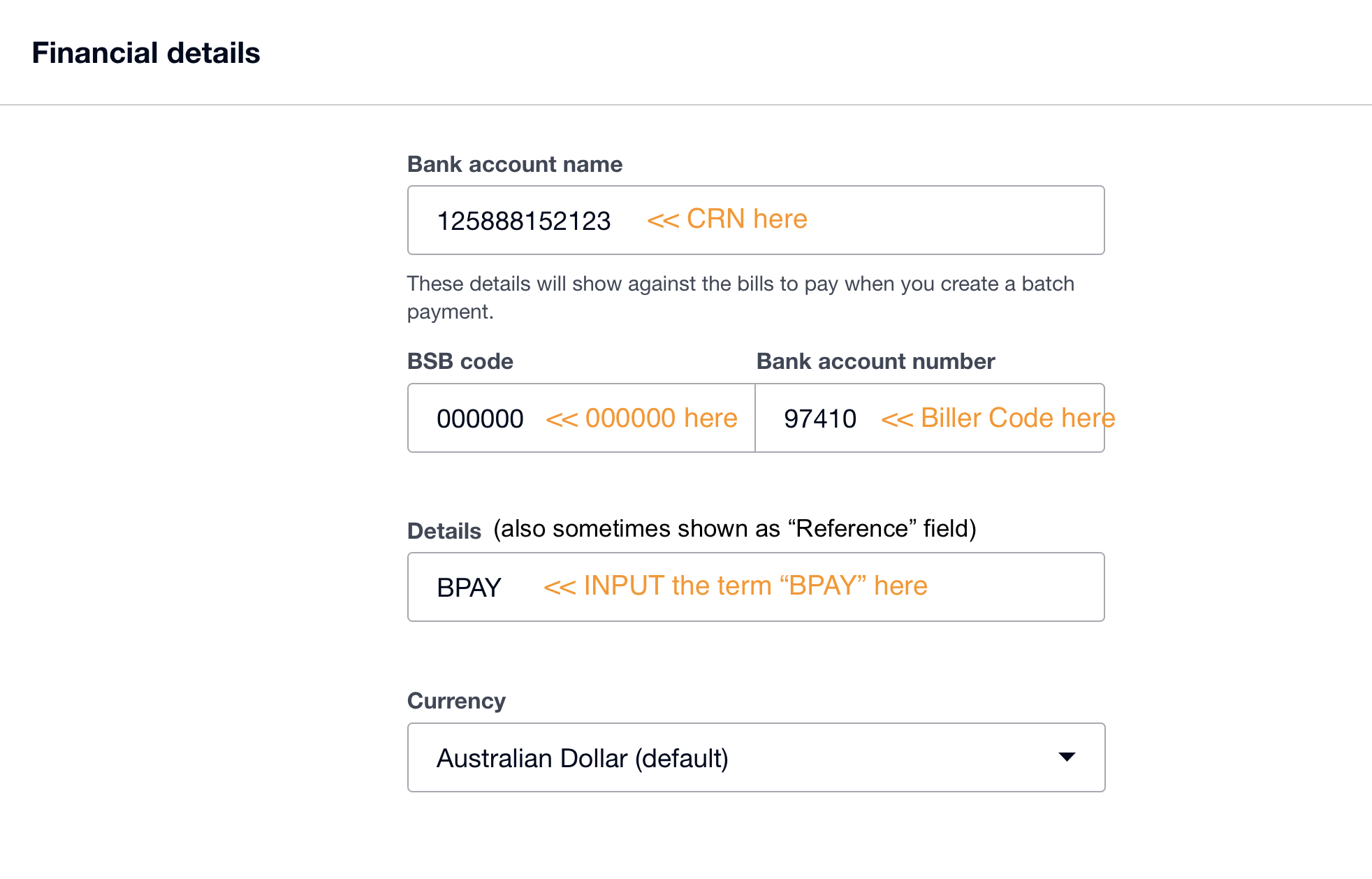
Under Financial Details field (as per below screen shot).
Bank account name field - put in the CRN
In the BSB code field - put 000000
Financial Details field - Put Biller Code
Details or also known 'Reference' field = BPAY
Once you have prepared or are familiar with this process, please contact Parakeet to onboard your business.
Was this article helpful?
That’s Great!
Thank you for your feedback
Sorry! We couldn't be helpful
Thank you for your feedback
Feedback sent
We appreciate your effort and will try to fix the article