Background:
- To add BPAY to your Xero invoices & statements, Parakeet requires the below fields to be available.
- If this field is unavailable, please advise Parakeet.
Add Other Payment Methods
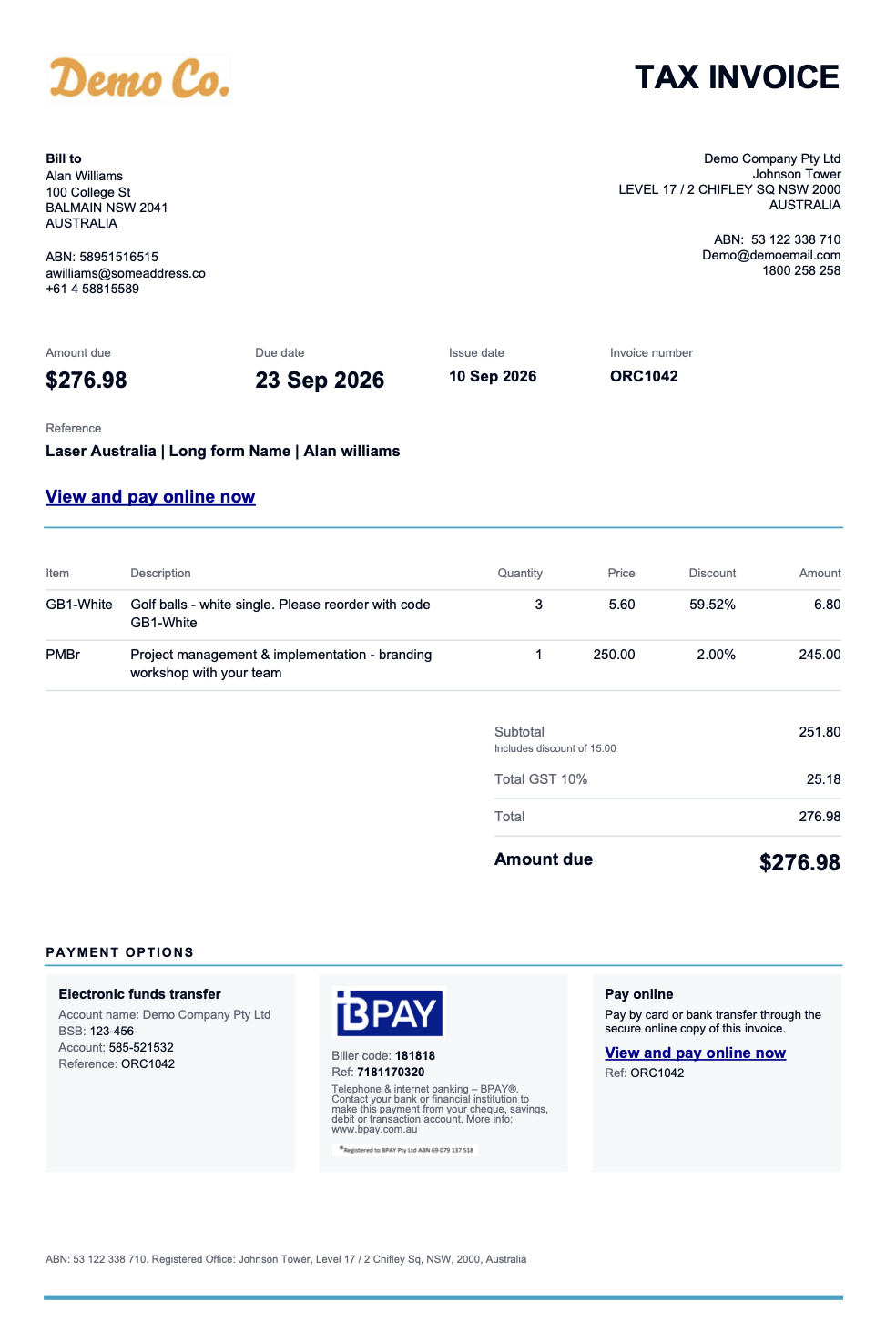
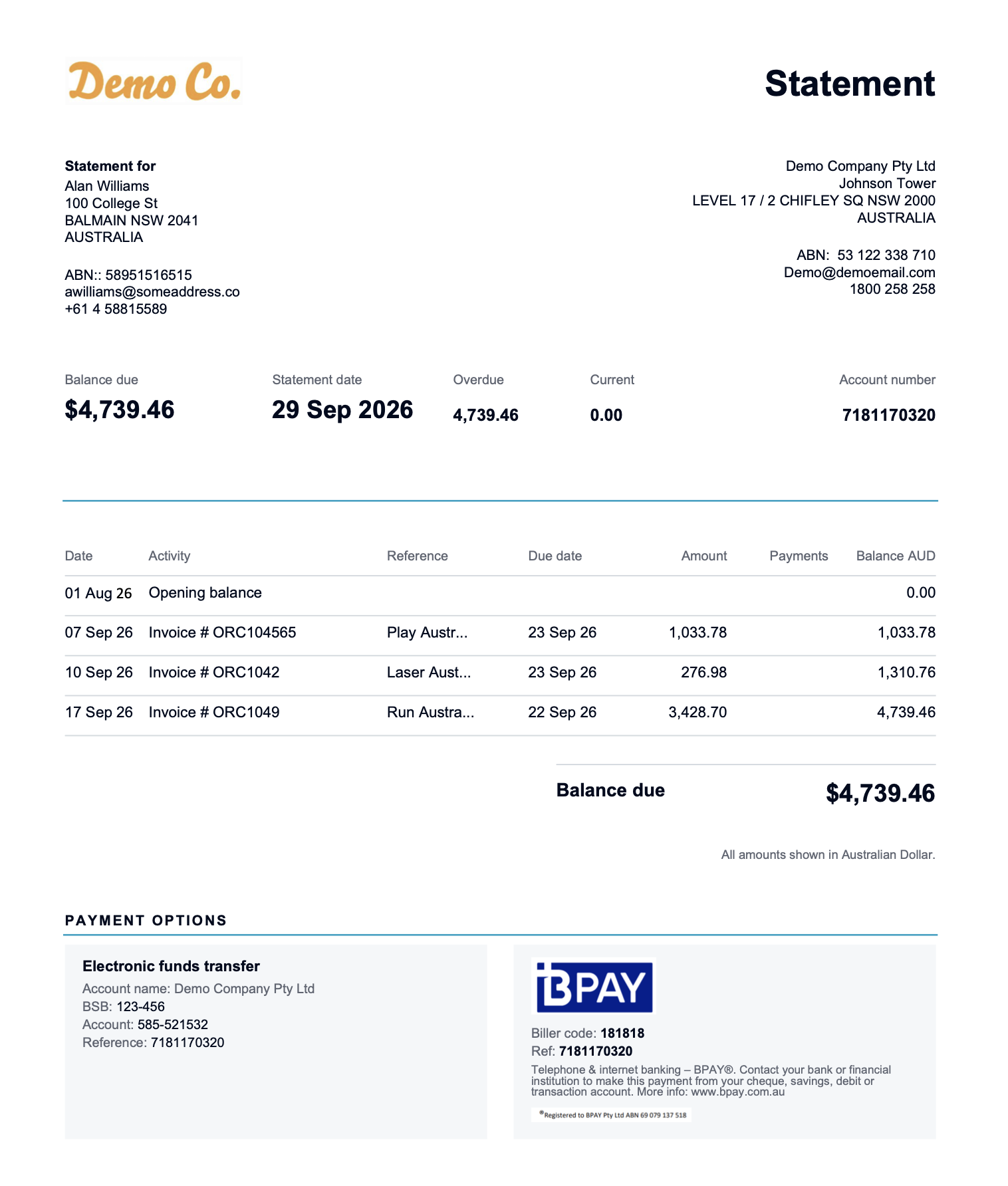
- We can also consolidate all your other payment methods into 1 invoice template.
- You can incorporate your Online payment link (e.g Stripe or Bring Your Own Merchant), BPAY as well as Direct Bank Deposit.
- Refer to examples below.
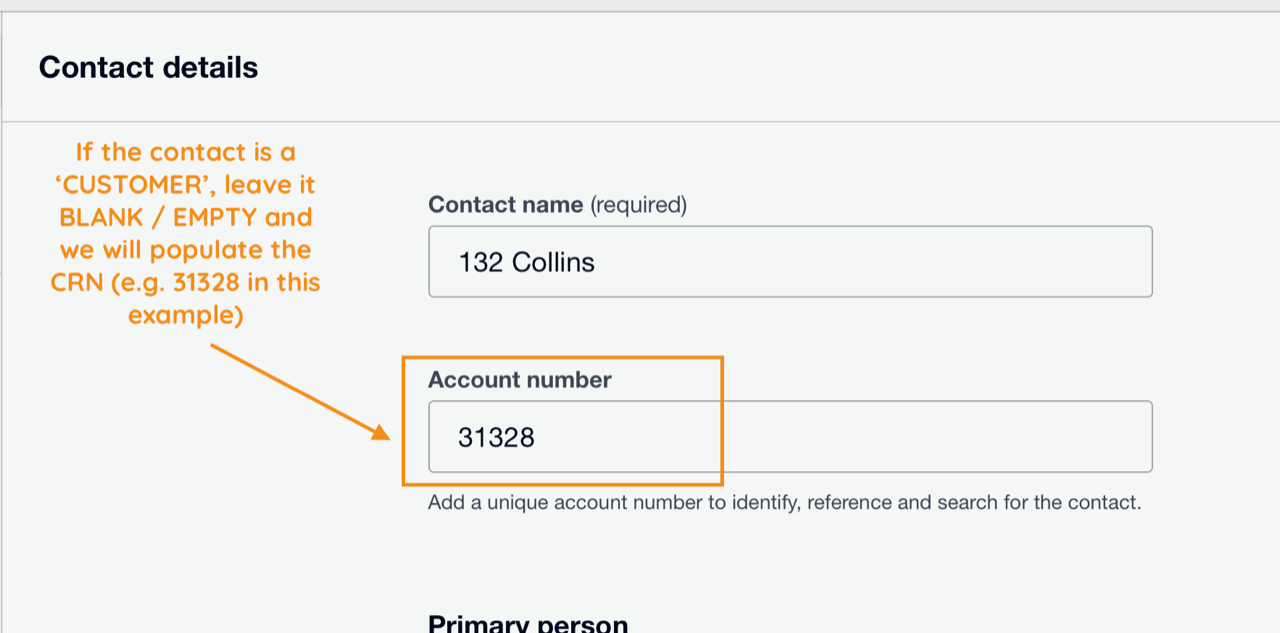
Field required:
- Xero Contacts > Account Number field (left blank)
- Note - Parakeet will populate any new Xero contacts with a CRN if the field is blank
- This means new clients or if you like a new CRN allocated to an existing client, just leave the field blank and Parakeet will automatically update it with a new CRN.
Sample Output
- Sample Invoice Output:
- Sample Statement Output:
Was this article helpful?
That’s Great!
Thank you for your feedback
Sorry! We couldn't be helpful
Thank you for your feedback
Feedback sent
We appreciate your effort and will try to fix the article