Purpose:
How to check your 'Check Todays Price' or 'Pay Now' button is active / working with Parakeet
Step 1:
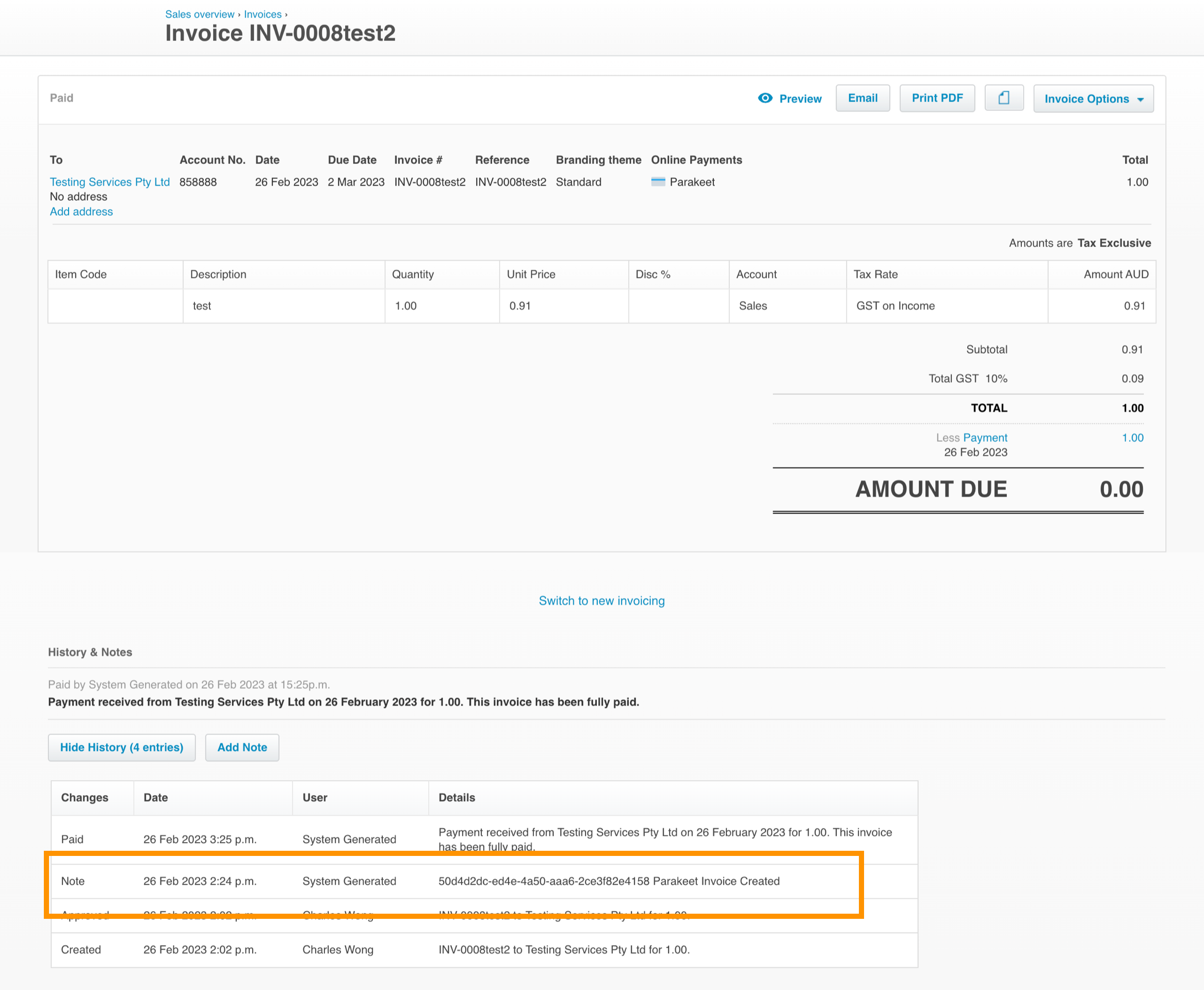
Have a look at the notes section and if a comment like this is there, it means Parakeet has created a valid link.
Step 2 -
If it’s there - then click ’Share invoice’ (if it’s not there, wait for at least 1 hour)

Step 3 -
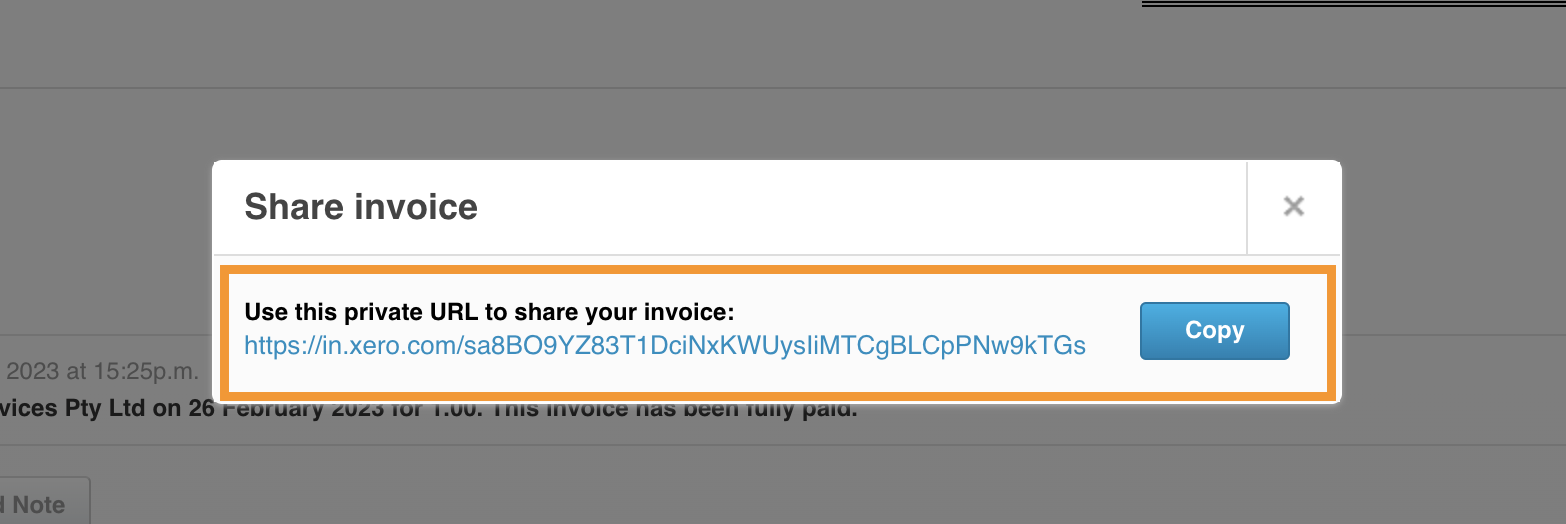
Click on this link - then try the check todays’ price buttons.
This will take you to the Xero invoice page where you can check that the link is working as intended.
Please contact Parakeet support at support@helloparakeet.com if there are any issues.
Was this article helpful?
That’s Great!
Thank you for your feedback
Sorry! We couldn't be helpful
Thank you for your feedback
Feedback sent
We appreciate your effort and will try to fix the article