Scenario:
- When a bill has been paid by Parakeet but the FINAL AP CLEARING account entry were not created
- Some causes include:
- Discrepancy between Account Codes recorded in Xero vs in Parakeet
- Parakeet AP Final Clearing Account was 'Locked' (closing books)
- Xero Limit issues "Too many requests have been made in the given timeframe"
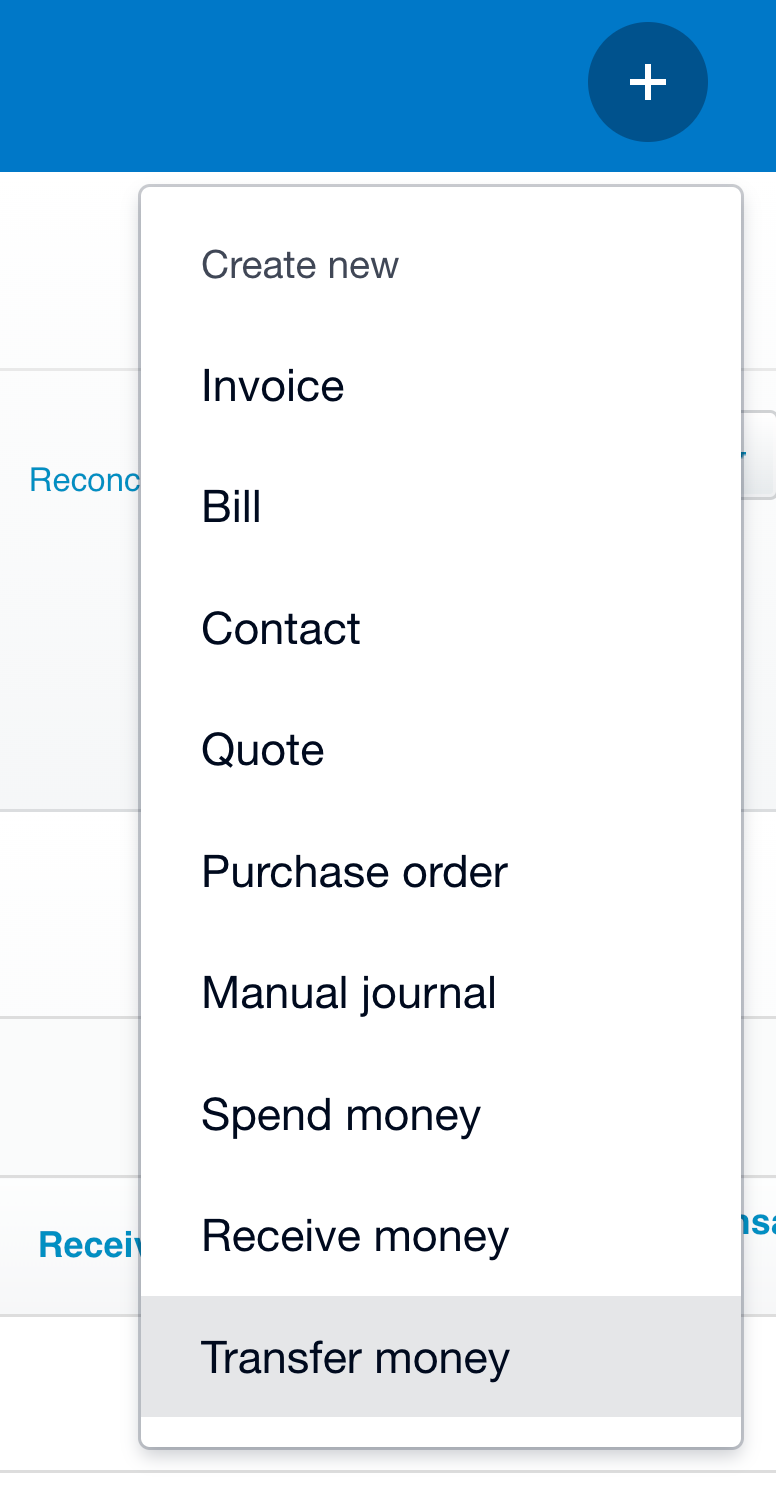
1. Create a "Transfer Money" from Parakeet AP Final Clearing to Parakeet AP INTERIM Clearing
- Select 'Transfer Money' as per below
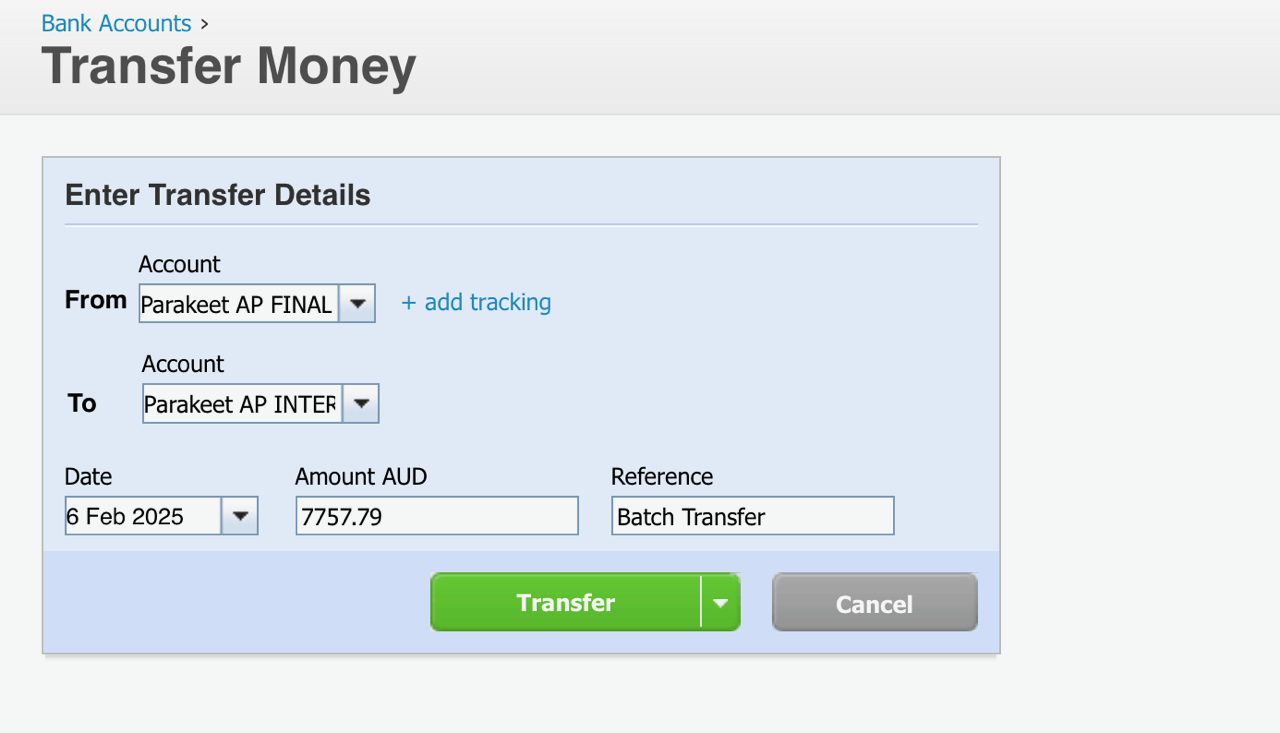
2. Enter details of the missed entries provided to you by Parakeet
- IMPORTANT: Please ensure the correct amount is selected as per below
- From field: Select Parakeet AP Final Clearing Account
- To field: Select Parakeet AP Interim Clearing Account
- Amount and date of the missed entry(s)
- Click 'Transfer'
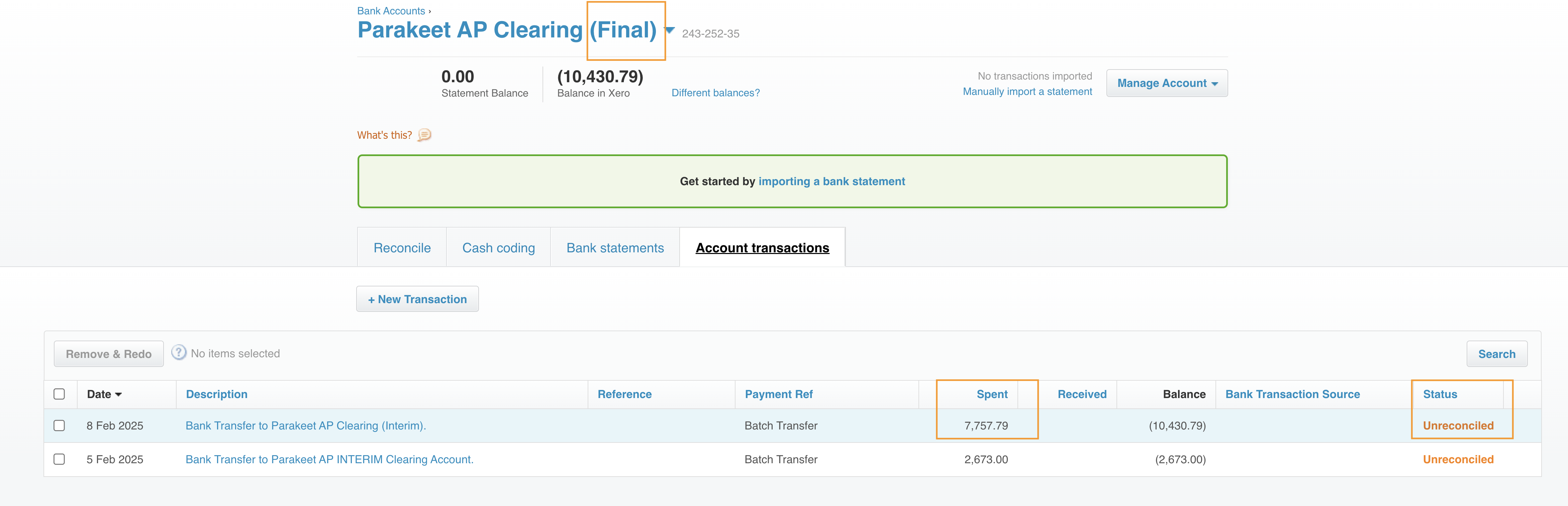
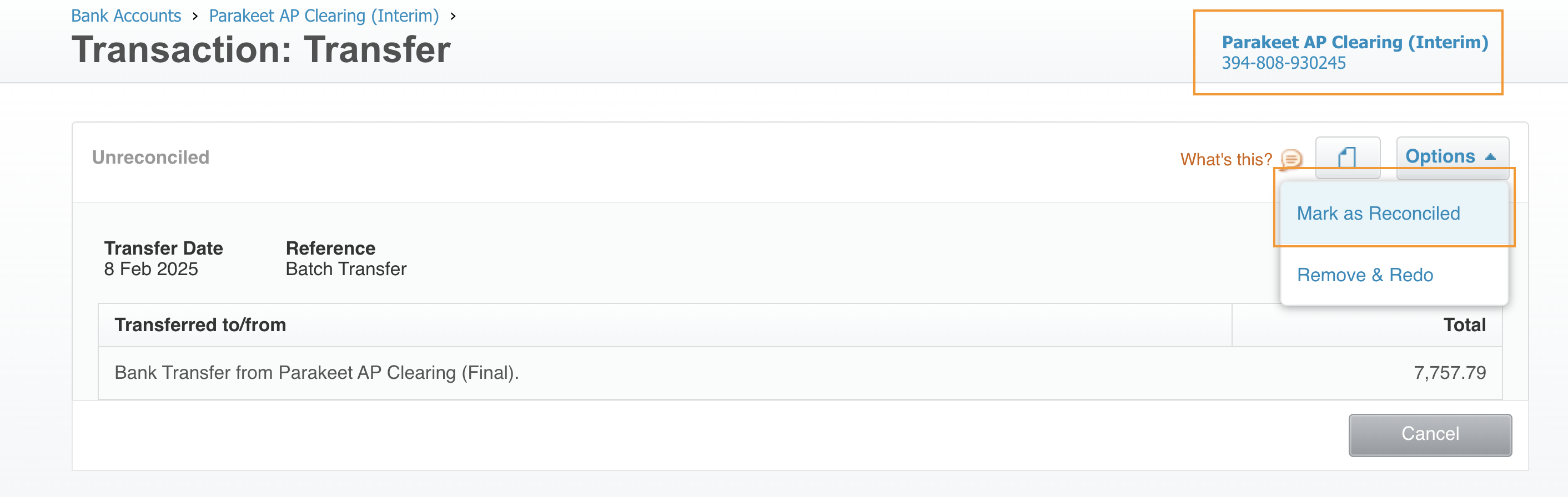
3. Mark it as 'Reconciled'
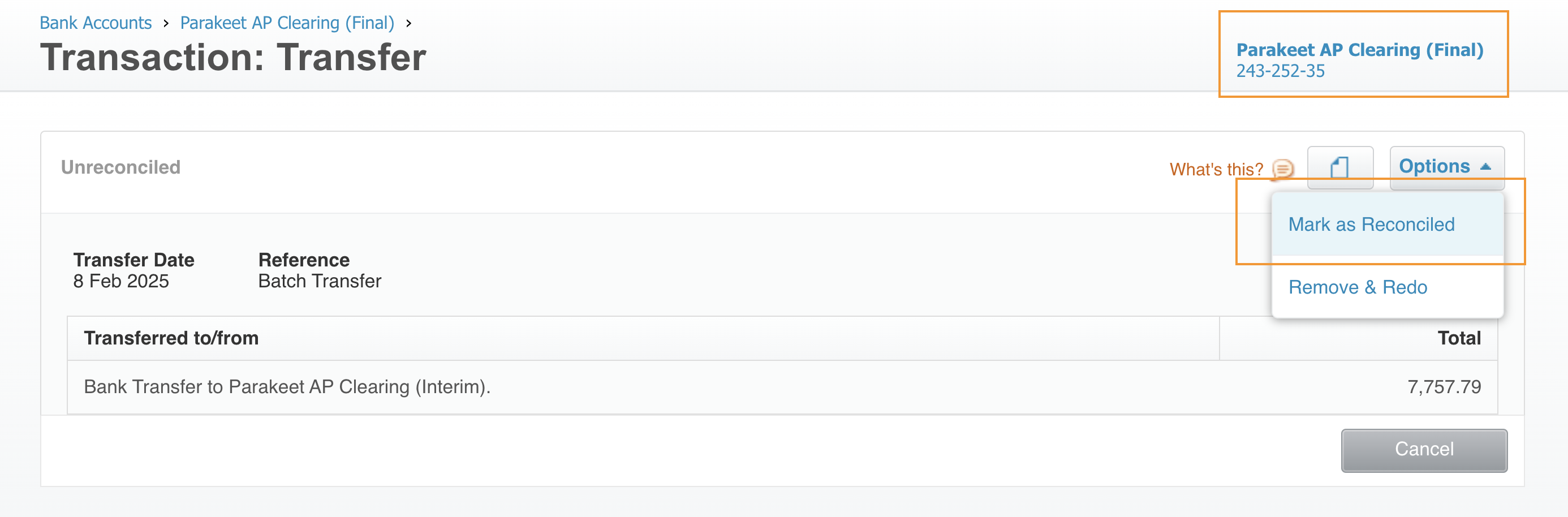
- In Parakeet AP FINAL Clearing Account
- Find the transaction
- Click and then 'Mark as Reconciled'
- In Parakeet AP INTERIM Clearing Account
- Find the corresponding entry
- Click and then 'Mark as Reconciled'

Was this article helpful?
That’s Great!
Thank you for your feedback
Sorry! We couldn't be helpful
Thank you for your feedback
Feedback sent
We appreciate your effort and will try to fix the article