Note: This optional feature incurs an additional fee. Please contact Parakeet if you like to enable this feature.
This article is for our Mutli-CRN workflow, where the CRN is always different for a particularly BPAY vendor.
e.g. You are paying the same BPAY supplier/vendor, but each time it has a difference reference number - Please update the Xero contact as follows:
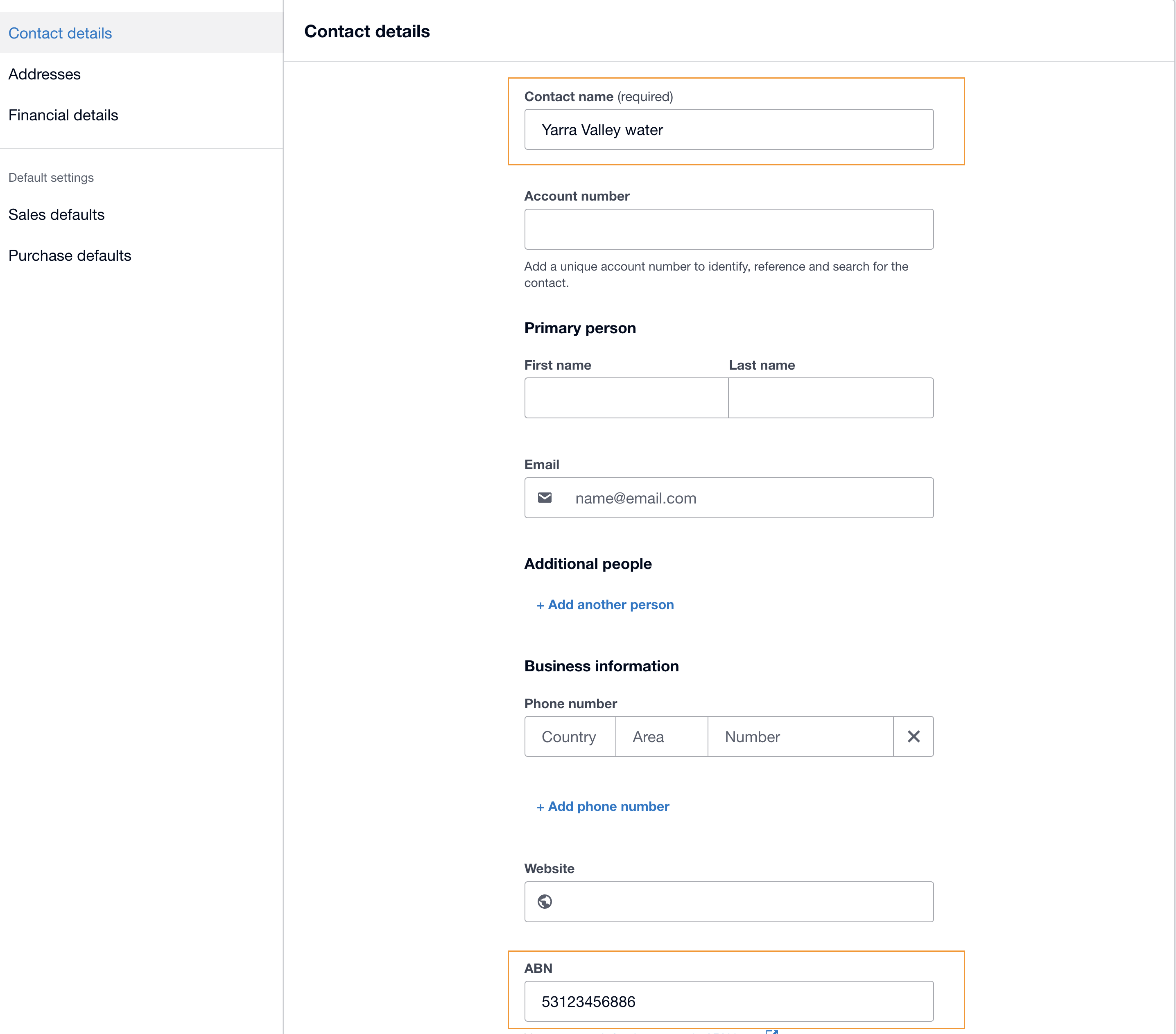
Step 1: Compulsory fields required in Xero's contacts: (refer to screen shot)
Contact Name = Name of the BPay Biller, eg. - Yarra Valley Water
ABN Field = ABN of your biller (without Spaces)
Step 2: Update Financial details as per below
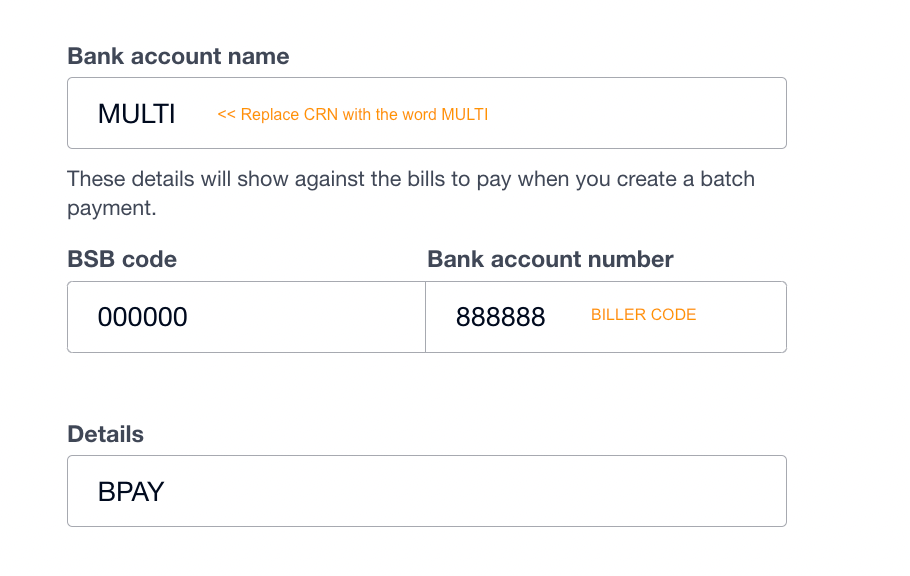
Under Financial Details field (as per below screen shot).
Bank account name field - put in word "MULTI" as per below
In the BSB code field - put 000000
Financial Details field - Put Biller Code
Details field = BPAY
Step 3: When creating the bill in Xero against the Multi-CRN Xero contact
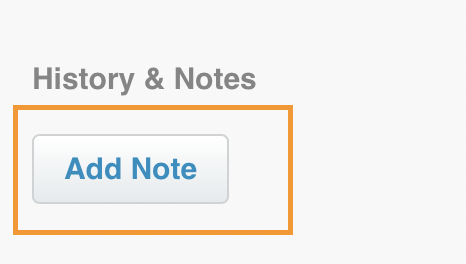
- When you create the bill, please go to "ADD NOTE" section.
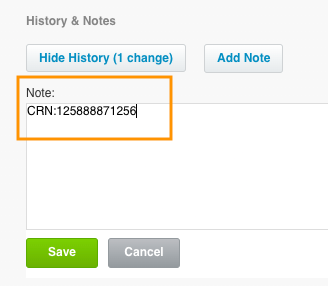
Then enter the CRN as per below, with NO SPACES (BEFORE OR AFTER) & EXACT FORMAT
Click SAVE.
Once you have prepared or are familiar with this process, please contact Parakeet to onboard your business.
Was this article helpful?
That’s Great!
Thank you for your feedback
Sorry! We couldn't be helpful
Thank you for your feedback
Feedback sent
We appreciate your effort and will try to fix the article