Background:
- For Parakeet to assist with setting up BPAY for your Xero Invoices, Parakeet require your Invoice & Statement Template in DOCX format. This can be obtained from Xero.
Purpose:
This document outlines how to download the Invoice & Statement DOCX Template out of Xero.
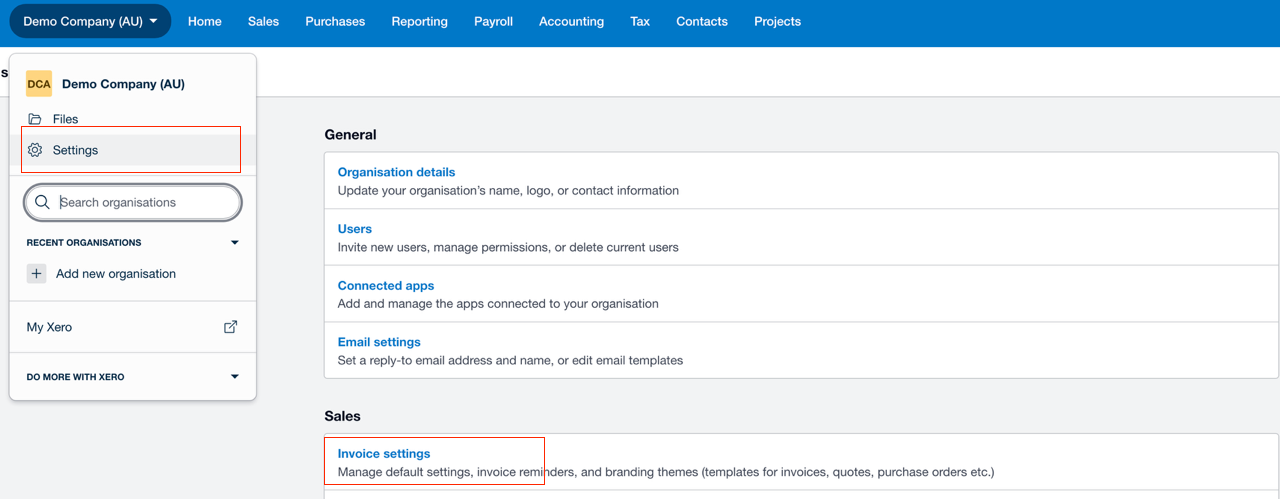
Step 1: Go to Organisation Details
- Settings > Invoice Settings (screenshot - orange box)
Step 2: Find the template
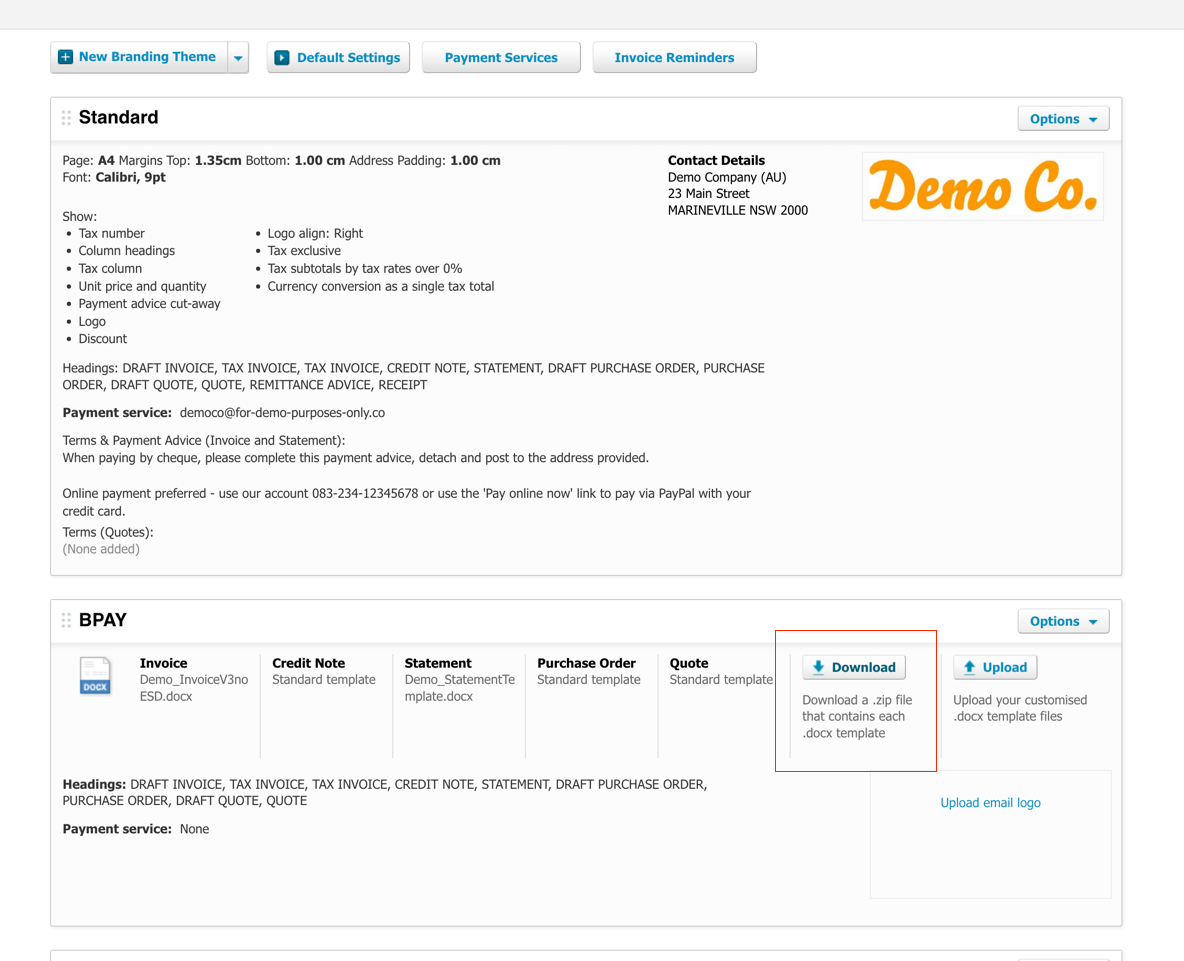
- If you see an invoice setting with a ‘DOWNLOAD” button as per below, please download and email it
- If you don’t see the download button & only have the ’Standard’ listed, then you can ignore the rest of the steps, please send Parakeet a copy of the most recent PDF invoice & statement you sent to your customers.
Was this article helpful?
That’s Great!
Thank you for your feedback
Sorry! We couldn't be helpful
Thank you for your feedback
Feedback sent
We appreciate your effort and will try to fix the article