
Background:
- After Parakeet has provided you with the updated DOCX template, these will need to be uploaded into Xero.
Purpose:
This document outlines how to upload the Invoice & Statement DOCX Template into Xero.
Step 1: Go to Organisation Details
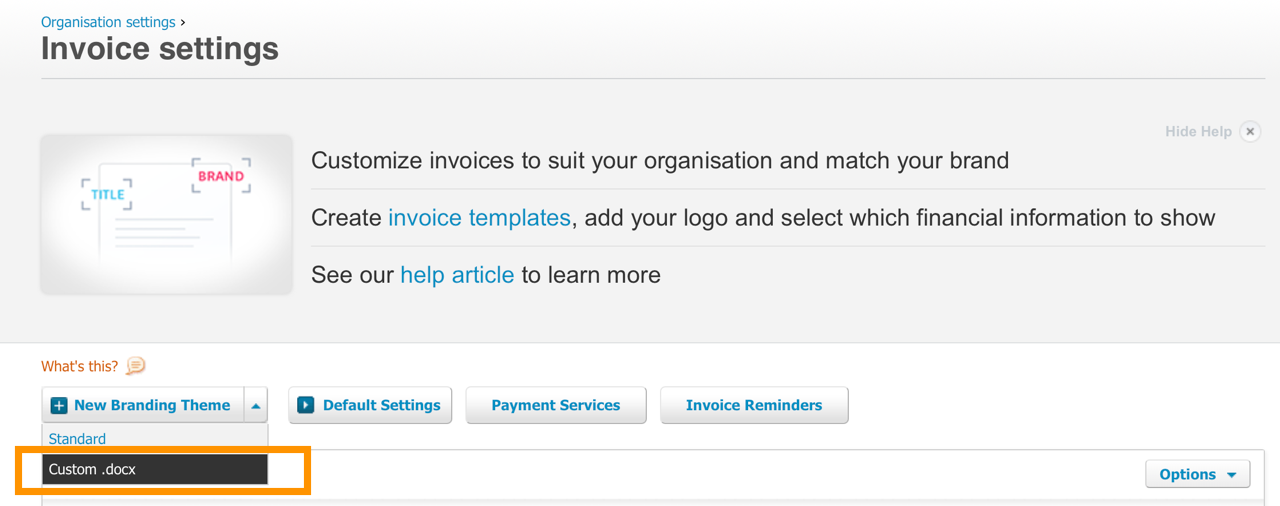
- Go to organisation settings > Invoice Settings > Create New Branding Theme > Select Custom.docx
A. Upload the invoice file “**.docx" as your Invoice template
B., Upload the statement file “***.docx” as your Statement Template
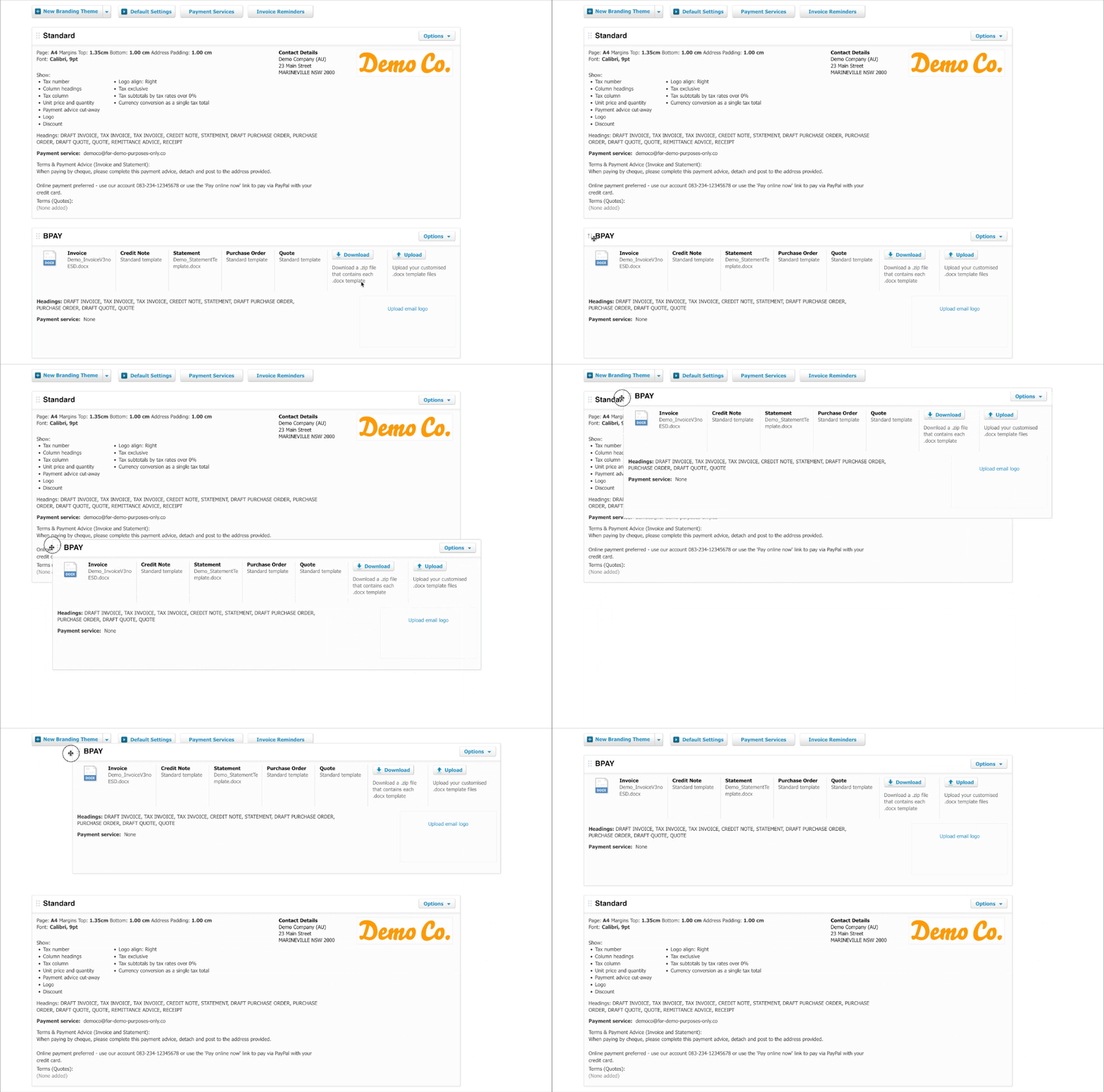
Step 2: Make it your 'Default' template by dragging it up
- Drag the new custom.doc to the top of the list (refer to below)
Step 3: Connect your Xero account to Parakeet
- Once step 1 is completed and Parakeet confirms you are ready for connection, please follow the instructions on this page here.